TRANSLATION FOR REAL LIFE
How to translate menus with your iPhone camera
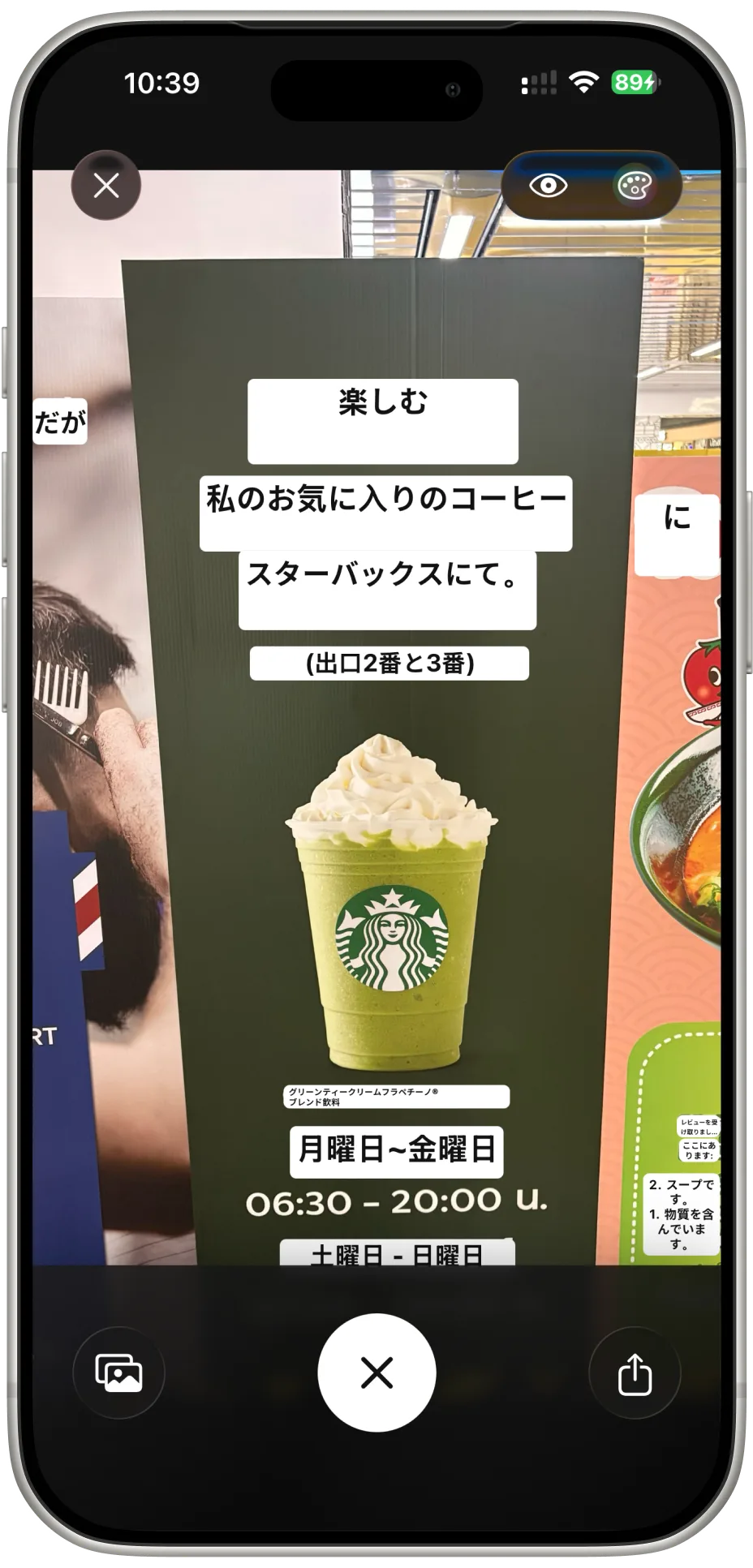
Speakly - Translation can translate text in images, so you can understand a restaurant menu or a sign without typing each word. Start with a clear image and check the translated text in context before you order.
Translate a menu, step by step
- Open Speakly on your iPhone and choose camera translation. Allow camera access when prompted.
- Frame the menu so the text is readable. Move closer to one section if the whole page makes the lettering too small.
- Choose the source and translation languages using the options available in the app, then capture the text for translation.
- Read the translated items alongside the original menu. If a line looks wrong, try another photo with better lighting or a closer view.
Get a clearer translation
Text recognition depends on what the camera can read. Keep the phone steady, avoid glare on laminated menus, and photograph the page as straight on as possible. Translate one column at a time when a menu has several columns or decorative layouts.
Dish names, handwritten specials, and local expressions may not translate literally. Use the result to understand the likely meaning, then ask restaurant staff when an ingredient or preparation is unclear. For allergies, confirm ingredients and cross-contact directly with staff; a camera translation cannot verify them.
Keep the conversation going
After reading the menu, use Speakly's text translation to prepare a question or conversation mode to follow both sides of an exchange. For example, you might ask whether a dish is vegetarian or whether a smaller portion is available.
Speakly also supports translation of speech and typed text. Language availability and results vary by feature, language, and connection. Downloading an offline language pack does not mean every camera or voice feature will work without internet.